MapUp Logo
  • Solutions
    TollGuru
    Route planning for tolls, and fuel cost calculation
    TollTally
    GPS-based real-time toll billing or reimbursements
    TollMatch
    Toll bill auditing/reconciliation
    TollPay
    Zero violation toll payment solution
    FuelGuru
    Fuel purchase prescriptions along truck legal routes
    NavGuru
    Commercial Navigation
    IFTA
    Fuel tax reporting from observed data
  • Partners
    TollTally × Geotab
    Real-Time toll billing integrated with MyGeotab
    TollTally × Motive
    Real-Time toll billing integrated with Motive
    TollTally × Samsara
    Real-Time toll billing with Connected Operations
    TollTally × Wialon
    Real-Time toll billing integrated with Wialon
    TollTally × Platform Science
    Real-Time toll billing with connected vehicles
  • Pricing
    • News
    • Blog
    • Customer Stories
    • FAQs
    • Contact Us

NavGuru / Dashboard access

Access your NavGuru dashboard

To reach the NavGuru dashboard, first sign in to the MapUp dashboard (platforms.mapup.ai), our primary portal for managing your MapUp account and members. From there, open the NavGuru dashboard. We send your login credentials by email, so there's no separate access request.

On this page+

On this page

  1. 1. Log in
  2. 2. Reset your password
  3. 3. Switch to your fleet account
  4. 4. Open the NavGuru dashboard
  5. 5. Manage your fleet account

NavGuru guides

  • Get started
  • Fleet and dispatcher guide
  • Driver guide
  • FAQ
  • Set up NavGuru on Platform Science
  • Access your NavGuru dashboard

On this page

  1. 1. Log in
  2. 2. Reset your password
  3. 3. Switch to your fleet account
  4. 4. Open the NavGuru dashboard
  5. 5. Manage your fleet account

NavGuru guides

  • Get started
  • Fleet and dispatcher guide
  • Driver guide
  • FAQ
  • Set up NavGuru on Platform Science
  • Access your NavGuru dashboard

1. Log in

Go to the MapUp dashboard sign-in page and sign in with the login credentials we emailed you.
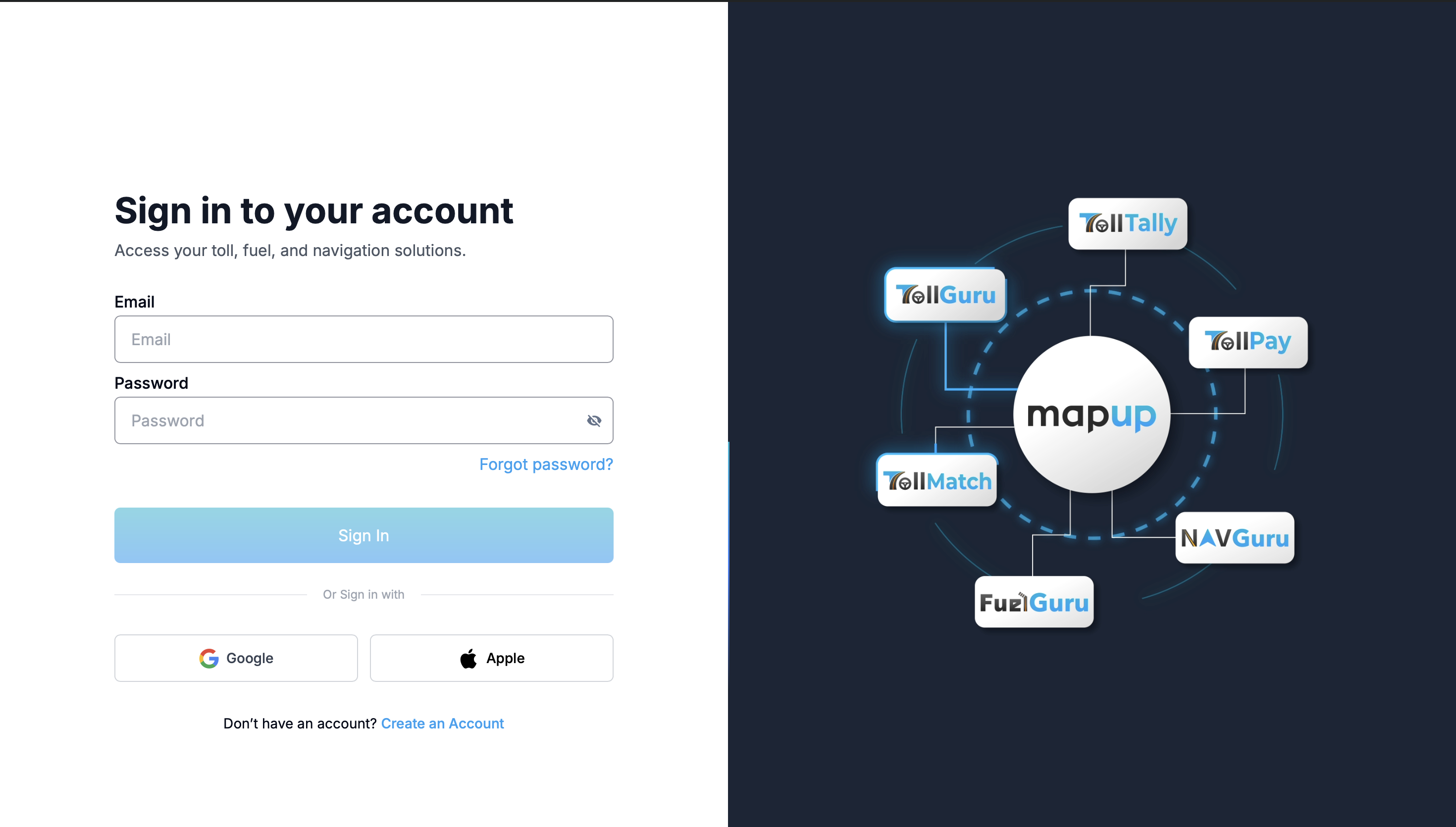
Sign in to your account

2. Reset your password

After signing in you land on the Change Password screen. If you signed in with the credentials we shared, set a new password to secure your account.
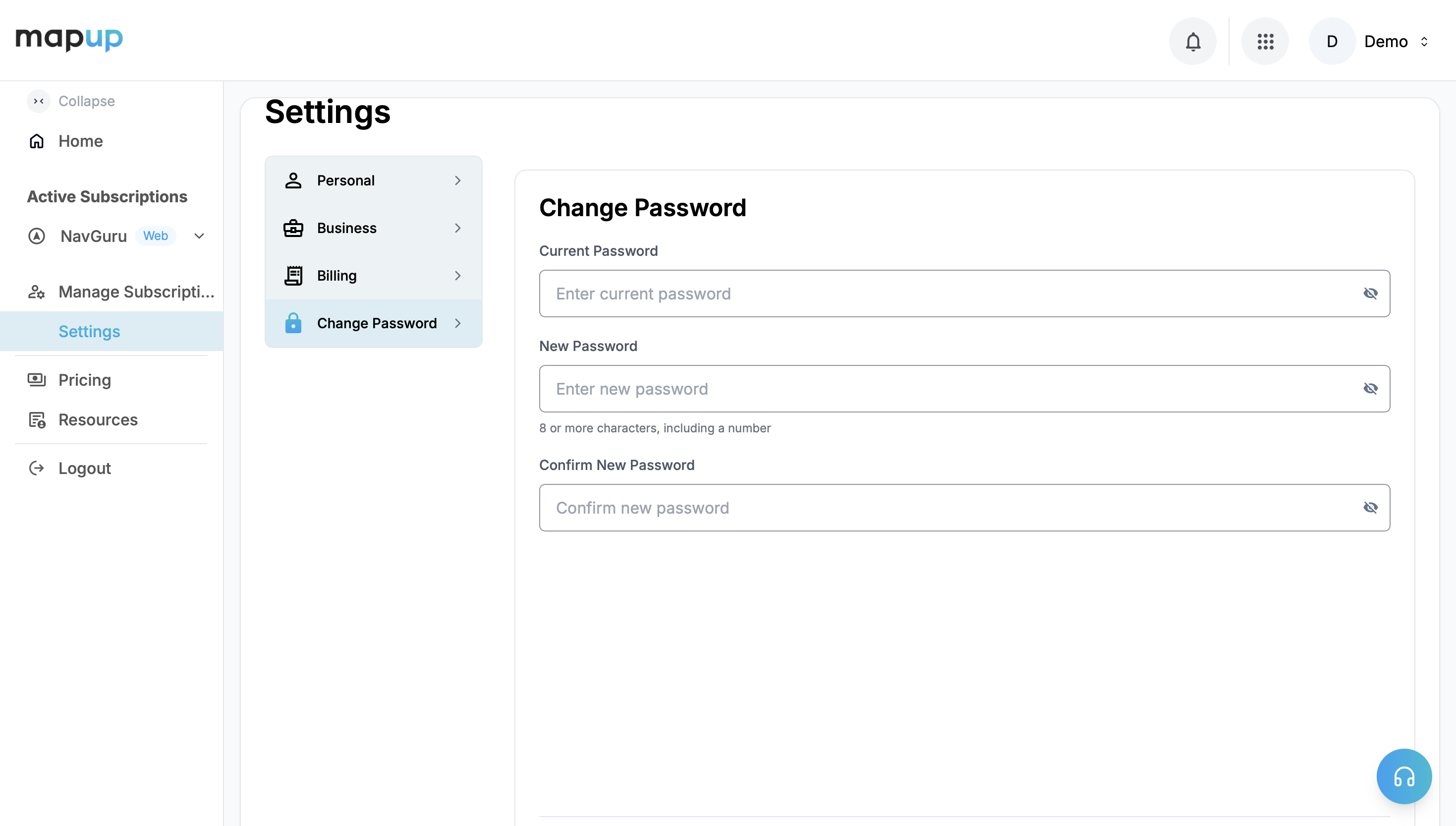
Settings → Change Password

3. Switch to your fleet account

  • Open the Accounts dropdown in the top-right corner. You'll see two accounts, the first being your individual account, which isn't preferred for organization-level products like NavGuru.
  • Switch to the account that goes by your fleet name. This is your organization account, where your NavGuru data is reported.
  • You can add other members from your organization to give them access to this account, and manage access levels for each product.
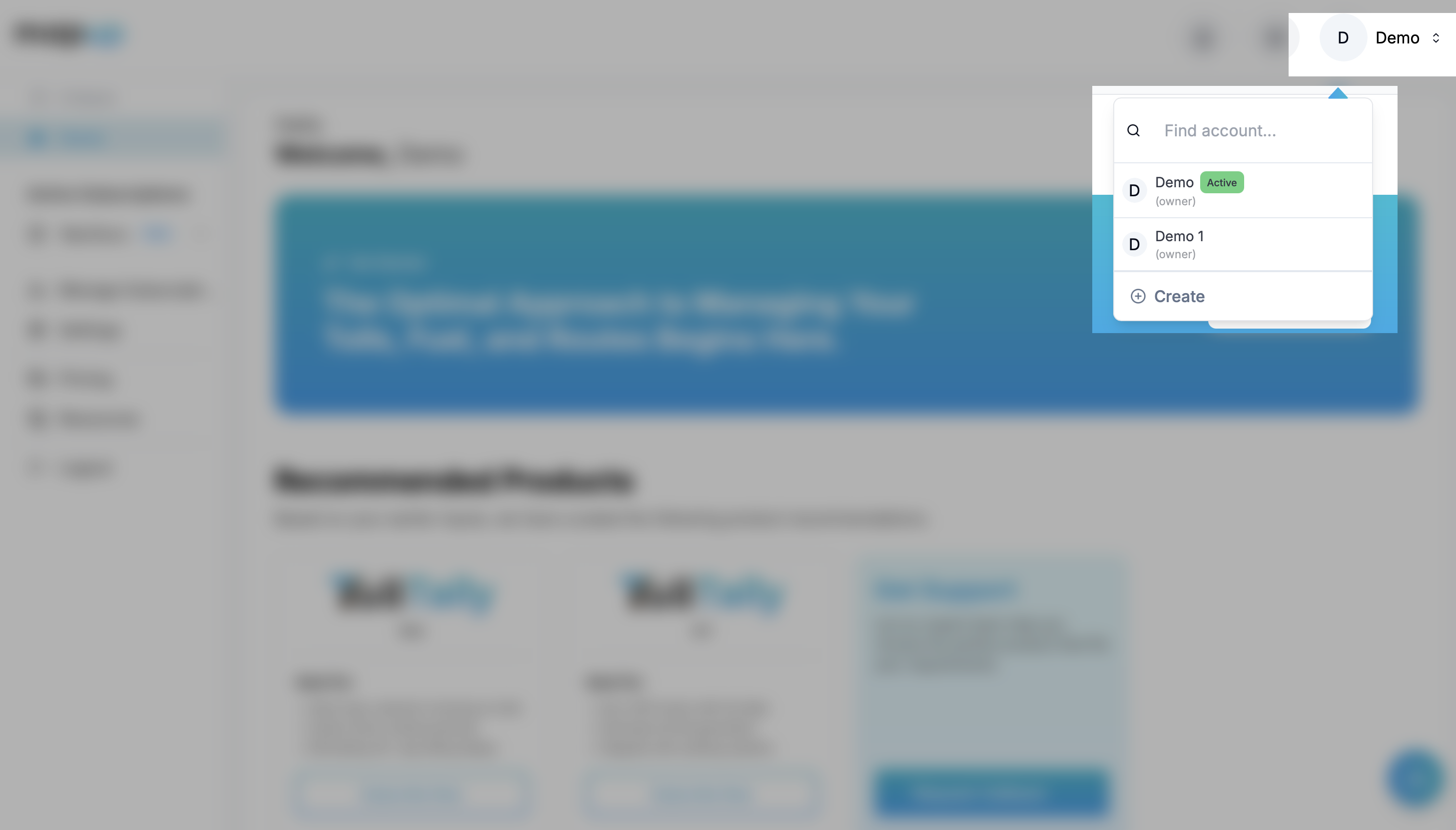
Switch to your fleet account

4. Open the NavGuru dashboard

In the left sidebar under Active Subscriptions, expand NavGuru and click Dashboard.
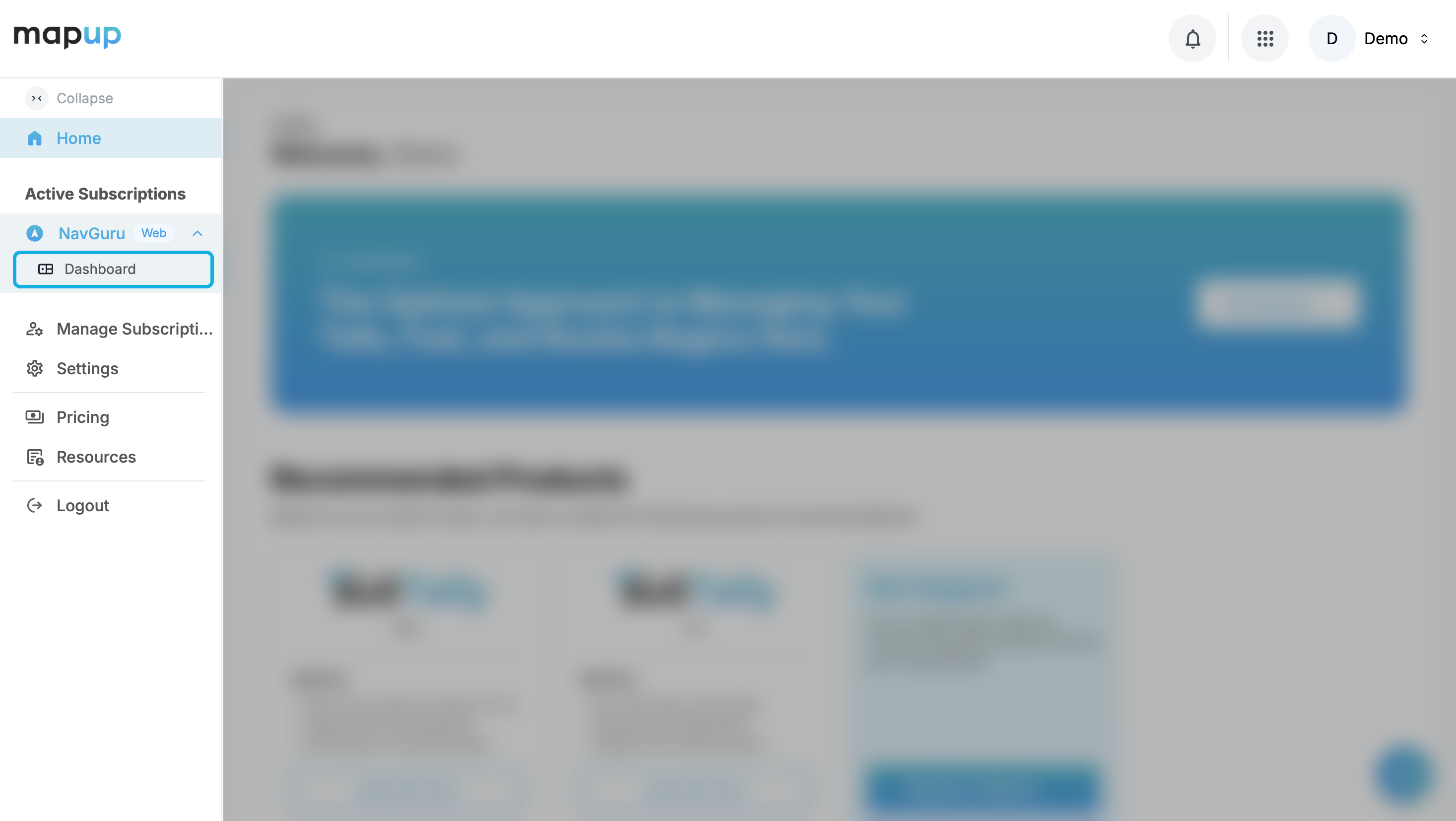
Open the NavGuru dashboard from the sidebar

5. Manage your fleet accountOptional

From your fleet account you can invite and manage team members. Do this whenever you need to give teammates access.

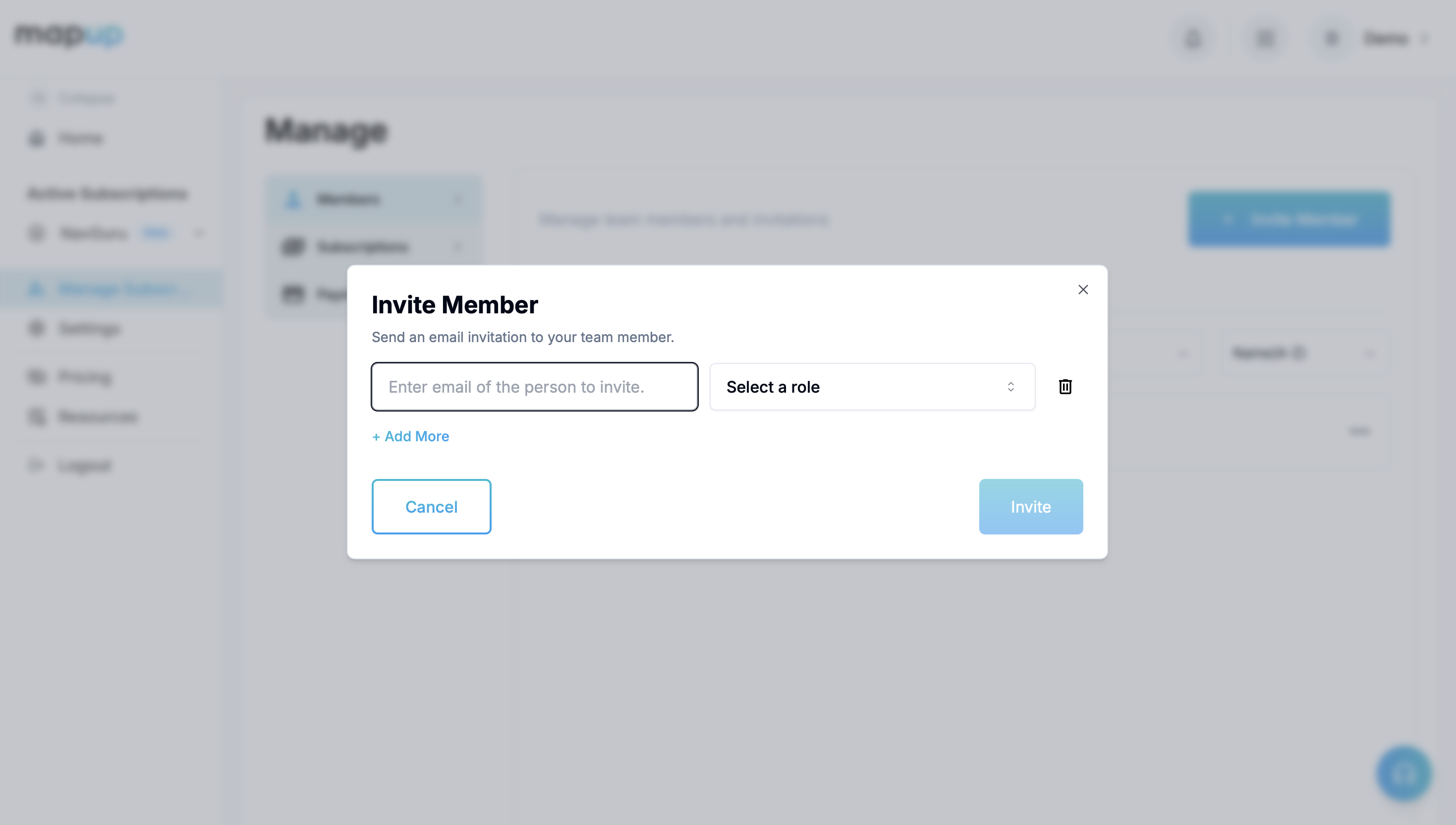
Go to Manage Subscriptions → Members and click Invite Member. Enter their email address, choose a role, and send the invitation.
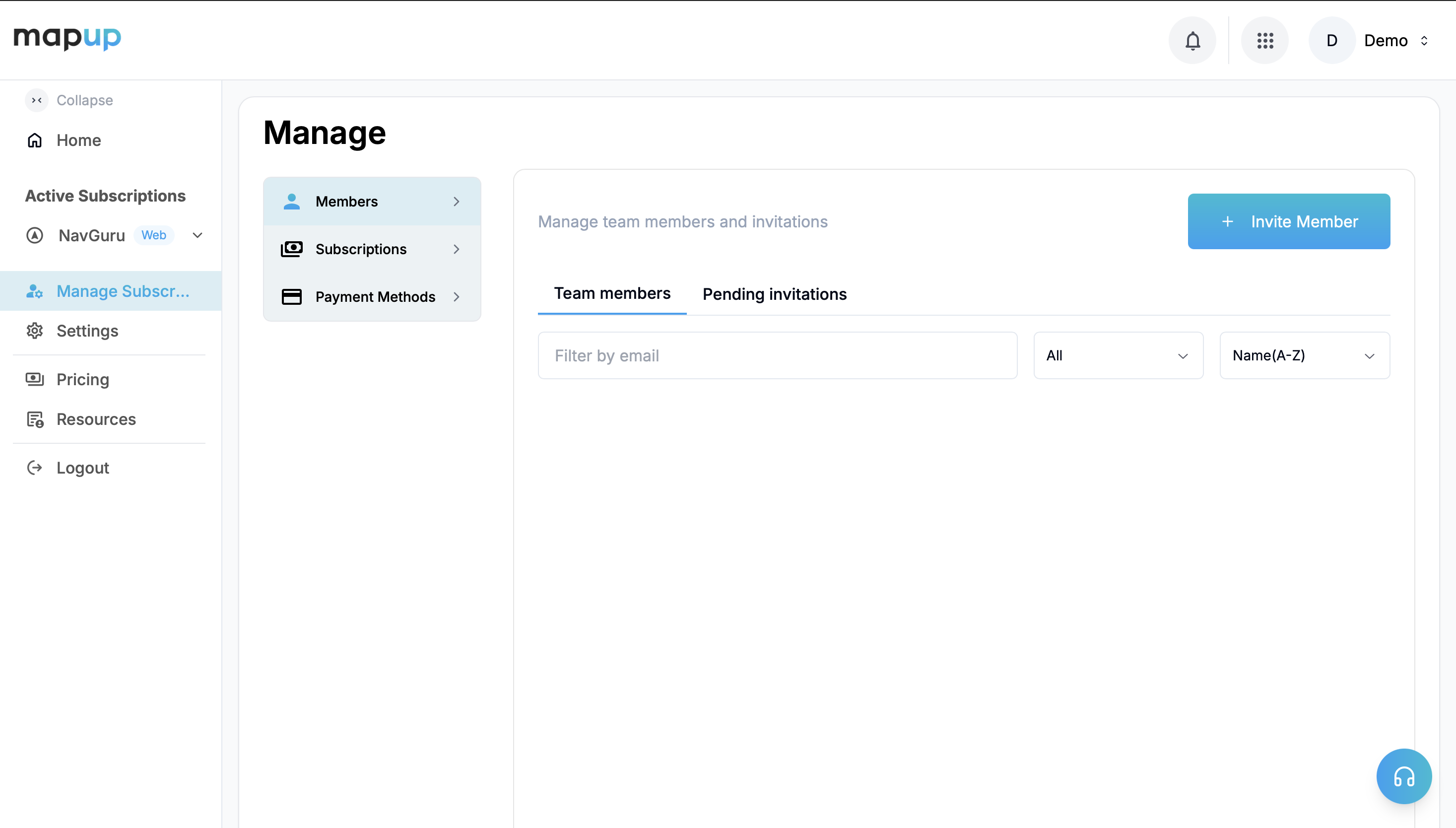
Manage → Members
Manage → Members
Invite a team member

After you invite someone, they need to sign up with that email and accept the invitation, either from the invite email or from the notification in the top-right corner (just left of the account switcher).

Questions we have not answered here?

Write to navguru@mapup.ai with your fleet name and, if it is about a trip, the vehicle ID and the time. We add the answer to these pages.

Back to NavGuru
MapUp Logo

Empowering your journey with intelligent route planning, toll calculation, and fuel optimization.

twitterlinkedininstagramfacebook

Download our TollGuru app to calculate tolls on the go:

Get it onGoogle Play
Download on theApp Store

Company

  • Careers
  • Press
  • Blog
  • Contact Us

Products

  • TollGuru
  • TollTally
  • TollMatch
  • TollPay
  • FuelGuru
  • NavGuru

Schedule a Call

Scan to get started with MapUp solutions today

Copyright 2026 MapUp. All rights reserved.

Privacy PolicyTerms And ConditionsSDK License AgreementThird Party Licenses